Laptop Repairer Job Sheet Generator
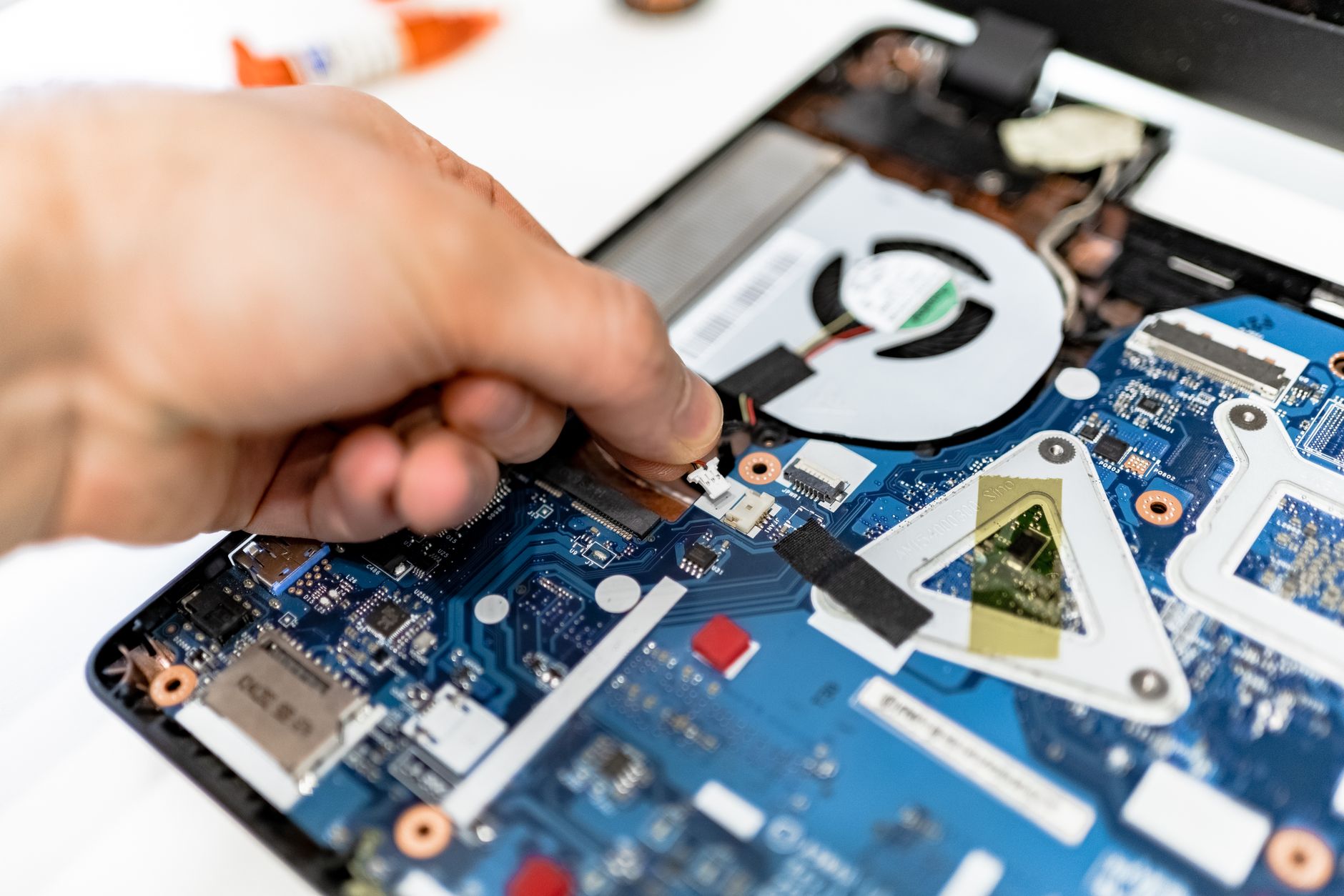
Welcome to the ultimate digital documentation hub for independent computer technicians, service center operators, and specialized repair shops. Operating a modern computer repair business requires far more than technical expertise with soldering irons, reflow stations, and operating system diagnostics. It requires absolute clarity, unbreakable accountability, and rigorous administrative organization from the exact moment a client walks through your doors with a malfunctioning machine.
Job Sheet
Create your professional document with the MyWorkProof generator.
When a client hands over an expensive MacBook, a gaming laptop with liquid damage, or a corporate workstation failing to boot, trust is the foundational currency of your business. Without a structured, professional intake and tracking document, misunderstandings easily arise. Did the laptop already have a cracked palm rest before you opened it? Was the hard drive failing prior to your RAM upgrade? Resolving these disputes without a formalized paper trail costs independent technicians countless hours of unbilled labor and damages professional reputations.
Our dedicated laptop repairer job sheet generator is engineered specifically to solve these operational vulnerabilities. Designed to streamline your intake workflow, clarify diagnostic findings, and establish clear service agreements, this utility empowers you to issue precise, comprehensive job sheets in seconds. Whether you manage a high-volume walk-in storefront or operate an independent mobile computer repair service from your workshop, this tool ensures your documentation matches the high caliber of your technical skill.
Why Every Computer Repair Shop Needs a Dedicated Job Sheet
In the fast-paced environment of hardware troubleshooting, relying on memory, scraps of paper, or informal text messages is a recipe for operational failure. A standardized job sheet acts as the single source of truth for every repair ticket moving across your workbench. It bridges the communication gap between the front-of-house intake staff and the back-of-house bench technicians, eliminating ambiguity regarding customer requests and approved spending limits.
Consider the typical lifecycle of a laptop repair ticket: A customer reports intermittent blue screen crashes and excessive fan noise. Without a detailed intake sheet noting the exact error codes observed at the counter, the technician might spend hours troubleshooting software conflicts when the root cause is a failing solid-state drive or thermal throttling caused by blocked heatsinks. By documenting symptoms, visible physical damage, accessories left with the unit (such as power adapters and carrying cases), and customer contact details right at check-in, your shop establishes an efficient, repeatable workflow that minimizes diagnostic delays.
Furthermore, professional job sheets protect your business from liability. Laptops are complex, fragile electronics containing sensitive data and intricate ribbon cables. Pre-repair inspection checkboxes allow you to note existing scratches, dead pixels, or keyboard malfunctions before you begin work, ensuring you are never held responsible for pre-existing defects. Additionally, capturing customer signatures on terms regarding data loss liability and diagnostic fees establishes clear legal and operational boundaries from day one.
Core Features of the MyWorkProof Laptop Repair Job Sheet Tool
Our browser-based document generation tool has been meticulously crafted to address the real-world operational challenges faced by computer technicians every single day. We understand that you do not have time to wrestle with clunky desktop software, complex database setups, or rigid invoice templates that fail to capture technical nuances.
- Customizable Shop Branding: Incorporate your repair business name, address, phone number, and support email directly into the header of every generated document.
- Client & Device Identification Fields: Dedicated spaces for customer contact information, device make, model, serial number, and asset tags.
- Accessory Checklists: Easily document what the customer dropped off—power bricks, dongles, recovery media, and laptop sleeves—preventing lost items and post-service disputes.
- Comprehensive Symptom & Diagnostic Logs: Clear sections to record reported client issues, preliminary technician notes, benchmark results, and hardware testing outcomes.
- Parts & Labor Breakdown: Transparent itemization tables for replacement LCD screens, keyboards, batteries, storage drives, and hourly or flat-rate repair labor.
- Terms, Conditions & Signatures: Built-in authorization blocks for diagnostic fee approvals, data loss disclaimers, and customer sign-offs upon device pickup.
Step-by-Step Guide: How to Generate Your Laptop Repair Job Sheet
Creating a polished, professional job sheet using the built-in MyWorkProof generator requires zero technical configuration or software installations. Because our platform runs entirely within your web browser, you can access your documentation tools instantly from your front counter tablet, back-office desktop, or mobile device.
- Navigate to the Generator: Access the live tool directly via the secure link at the bottom of this page to load the interactive laptop repairer workspace.
- Enter Business Particulars: Fill in your shop name, contact details, and ticket numbering scheme to establish professional identity at the top of the sheet.
- Input Client & Hardware Details: Record the customer's full name, telephone number, email, and exact device specifications including serial number and system password if required for testing.
- Document Physical Condition: Note any dents, scratches, missing screws, or screen blemishes in the pre-inspection checklist area.
- Specify Work Required & Estimates: Detail the requested diagnostic procedure, estimated repair timeline, and authorized budget cap agreed upon with the client.
- Review, Print, or Save: Inspect your live on-screen preview to ensure absolute accuracy. Use your browser's native print function or save the output as a clean PDF for digital archiving or emailing.
What Information to Prepare Before Intake
To maximize efficiency at your repair counter, having a standardized intake procedure ensures you never omit vital details when a customer hands over a machine. Preparing your workflow with the following information in mind will make your job sheet generation instantaneous:
- Accurate Device Identifiers: Always locate and record the manufacturer serial number and service tag (often found on the bottom case or within the BIOS/UEFI). Avoid relying solely on generic model names like "Dell Inspiron" or "HP Pavilion."
- Power Supply Verification: Note whether the customer provided their original OEM power adapter or a generic third-party replacement, as power delivery issues frequently mimic motherboard failures.
- Data Backup Status: Clearly document whether the client has an active cloud or local backup of their critical files (documents, photos, QuickBooks databases) before any operating system reinstallation or drive replacement commences.
- Login Credentials: If system-level diagnostics or post-repair stability testing require access, securely record user passwords or temporary PINs, ensuring adherence to strict data privacy standards.

Realistic Example: Complete Laptop Repair Work Order
To illustrate the practical power of our generator, consider the following workflow example for an independent computer repair shop:
Service Ticket #LR-2024-8842
Shop: Apex PC & Laptop Solutions, 452 Tech Avenue, Suite B
Client: Sarah Jenkins (Phone: 555-0198 | Email: s.jenkins@example.com)
Device: Lenovo ThinkPad T480 (Serial: PF-1982X4)
Accessories Received: 65W USB-C Lenovo AC Adapter, Black Neoprene Sleeve
Reported Symptoms: Laptop shuts down randomly under moderate load. Battery icon shows plugged in but reports 0% available and will not charge. Burning smell reported near charging port.
Pre-Inspection Notes: Minor scuffing on top lid. Rubber feet intact. USB-C charging port exhibits physical looseness and bent internal pin.
Authorized Action: Replace internal DC-in / USB-C charging daughterboard and test battery health under load. Diagnostic fee: $45 (waived if repair is approved).
Practical Profession-Specific Guidance for Independent Repair Technicians
Operating a sustainable computer repair business requires balancing delicate micro-soldering work with client communication. When handling specialized repairs such as motherboard component replacements, reflowing GPU chipsets, or harvesting data from failing NVMe solid-state drives, administrative discipline is just as crucial as technical competence. Establishing a structured intake protocol protects both your bench time and your bottom line.
For mobile computer technicians who make house calls or service small business offices on-site, a portable job sheet tool is indispensable. Being able to generate an instant work order from a mobile device or tablet while standing in front of a failing server or workstation allows you to secure immediate client sign-off before unsealing hardware or modifying system configurations. This eliminates post-service disputes regarding unexpected hourly billing rates or emergency call-out fees.
Furthermore, educational institutions and corporate IT departments frequently contract out overflow repairs to independent service shops. Institutional clients demand rigorous tracking documents that feature asset tags, PO numbers, and departmental cost centers. Utilizing a versatile job sheet generator enables you to seamlessly accommodate commercial workflows without altering your core intake process.
Common Mistakes to Avoid in Repair Documentation
Even seasoned technicians occasionally fall into administrative traps that jeopardize customer relationships and shop profitability. Avoiding these frequent pitfalls will elevate your service standards:
- Failing to Note Pre-Existing Damage: Accepting a laptop without noting a cracked bezel or non-functional keyboard leaves your shop vulnerable to claims of causing the damage during service. Always complete the physical inspection checklist.
- Vague Problem Descriptions: Writing "Computer broken" or "Won't start" provides zero diagnostic direction and invites disputes over what was actually requested by the client. Be specific about error messages and hardware behavior.
- Neglecting Authorization Signatures: Performing expensive screen replacements or data recovery procedures without a signed estimate or text/email approval often leads to refused payments and stranded inventory.
- Ignoring Data Liability Clauses: Failing to include a clear disclaimer regarding potential data loss during hardware failure or operating system repair exposes your shop to unwarranted legal liability.
- Failing to Track Peripheral Accessories: Forgetting to list power cords, wireless dongles, external hard drives, or custom carrying cases left by the customer frequently results in lost property accusations at pickup time.
Accuracy, Privacy, and Regulatory Considerations
When handling client computers, data privacy and regulatory compliance are paramount. MyWorkProof is designed as a streamlined, browser-based document generation utility. MyWorkProof does not store your customer records, device passwords, or sensitive business data on any online cloud databases. All document generation occurs locally within your browser session, ensuring your client information remains confidential and secure under your direct control.
In addition to data confidentiality, repair shops must navigate complex environmental and consumer protection regulations. Many municipalities enforce strict electronic waste (e-waste) disposal mandates regarding the handling of spent lithium-ion laptop batteries, lead-containing solder, and mercury-backlit LCD panels. Furthermore, consumer protection laws in numerous jurisdictions require repair businesses to provide written estimates exceeding specific financial thresholds before commencing work, and to return replaced hardware components to the customer upon request unless specific industrial core exchange policies apply.
Please note that MyWorkProof provides operational templates and organizational tools, not formal legal advice or statutory compliance guarantees. Independent repairers should consult local legal counsel and industry associations to ensure their complete service agreements align with regional consumer laws, right-to-repair legislation, and data protection standards such as GDPR or CCPA when handling client information.
Frequently Asked Questions
1. Is this laptop repair job sheet generator completely free to use?
Yes, our built-in document generator is completely free to access and use for generating unlimited professional job sheets, intake forms, and service tickets for your repair business.
2. Do I need to install any special software or apps to use this generator?
No installation is required. MyWorkProof operates entirely inside your web browser, allowing you to generate, preview, and print job sheets instantly on any desktop, tablet, or mobile device.
3. Can I include my repair shop's logo and branding on the job sheet?
The generator allows you to input your business name, address, contact details, and license numbers to ensure every document prominently reflects your professional brand identity.
4. Are my customers' data and repair records stored on MyWorkProof servers?
No. MyWorkProof does not store or archive your customer data online. Your document generation is processed securely within your active browser session.
5. How do I save or share the completed job sheet with my client?
Once you fill out the generator fields and review the live preview, you can use your browser's standard Print function to print a physical copy for your counter or save the document as a professional PDF file to email directly to your client.
6. Can I use this form for devices other than laptops, such as desktop PCs and game consoles?
While optimized specifically for laptop repairs, the flexible input fields can easily be adapted for desktop computers, custom gaming rigs, tablets, and general electronic hardware service orders.
7. Does this tool replace formal business invoices and tax receipts?
A job sheet primarily serves as an intake, diagnostic, and work authorization document. While it tracks parts and labor, you may need separate formal tax invoicing depending on your accounting and point-of-sale setup.
8. How should I handle customer passwords on the intake form?
If operating system testing requires a login, always record passwords temporarily with the customer's explicit consent, and ensure your shop maintains a strict secure shredding or deletion policy for credentials once the repair is successfully completed and the device is returned.
9. What happens if a customer abandons their laptop at my repair shop?
Incorporating clear abandoned property clauses into the terms and conditions section of your job sheet—stipulating storage fees or disposal timelines after multiple unsuccessful contact attempts—provides crucial legal protection for unclaimed hardware.
Comments
Post a Comment